

Outlook Automatic Online Archiving

Jun 12, 2026
196

To avoid reaching the 25gb limit of Accenture mailboxes, we recommend enabling Automatic Online Archiving in Outlook. This archiving method will automatically move emails of a specified age into your online archive folder. In doing so, it maintains the file structure of your inbox.
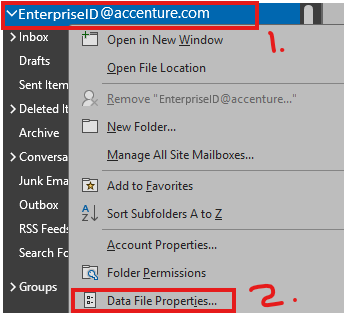
Right-click your email address in Outlook (1) and select Data File Properties (2):
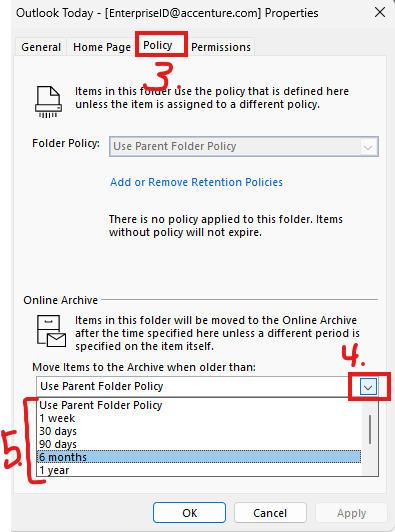
Click the Policy tab (3), click the dropdown under Online Archive (4), and choose the age at which you would like emails to be automatically archived (5):